• Skip to main content
  • Skip to primary sidebar
  • Skip to footer

Elite Car Customs

Reading PA's expert for fun and functional upgrades for your ride!

1176 Park Rd Unit A10, Reading, PA 19605 484-671-2343
  • Home
  • Services
    • Car Audio
    • Remote Starters
    • Driver Safety
    • Window Tint
  • About Us
  • Location
  • Contact Us
  • Facebook
  • Instagram
  • Search

Driver Safety

Product Spotlight: Thinkware U1000 Plus Dash Camera

Thinkware U1000 Plus

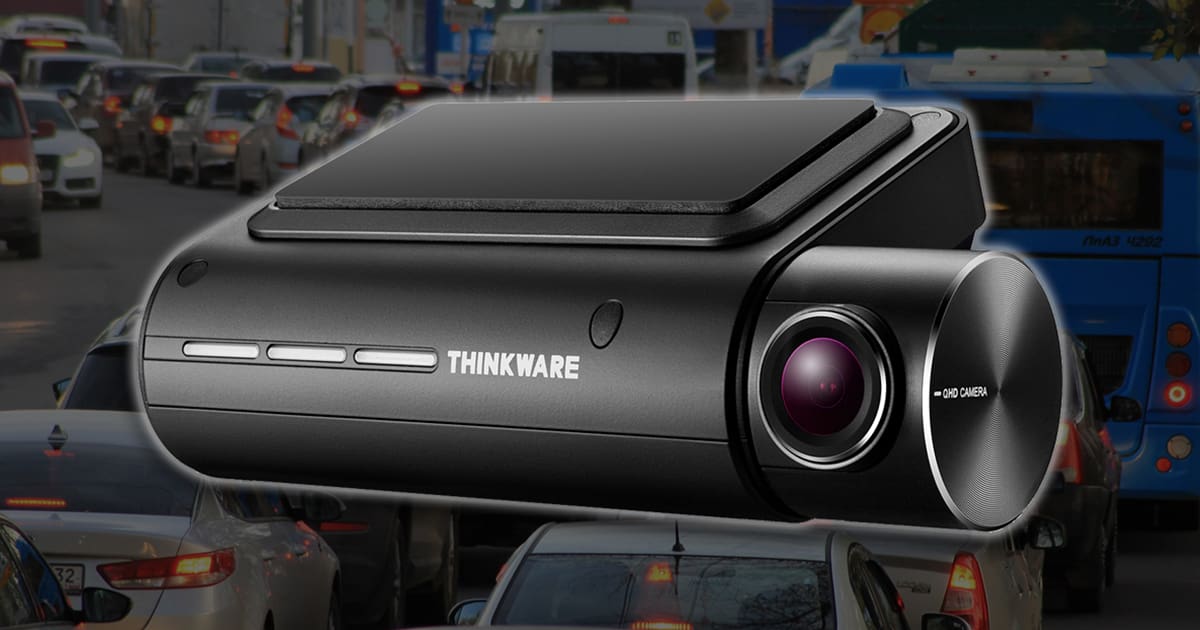
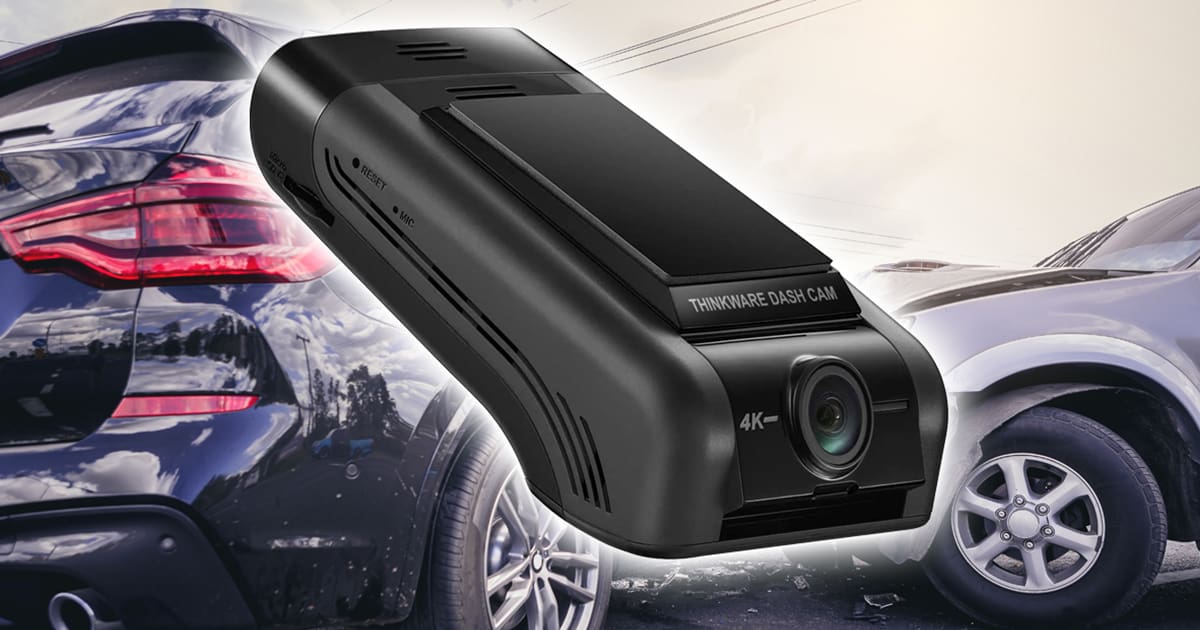
If you are shopping for a premium dash camera with a high-resolution image sensor, the Thinkware U1000 Plus should be on your shortlist. This solution can record video in 4K resolution and is available with a secondary camera to capture what happens behind your vehicle. Let’s take a close look.

Design of the Thinkware U1000 Plus Dash Camera

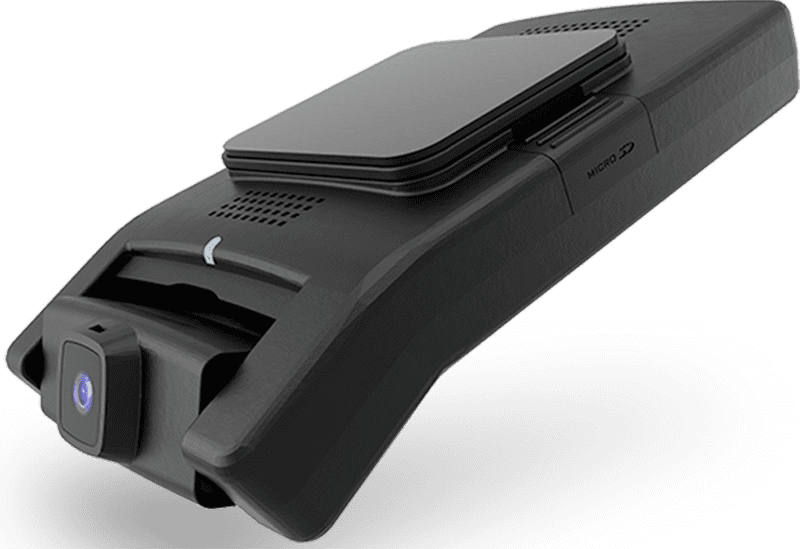
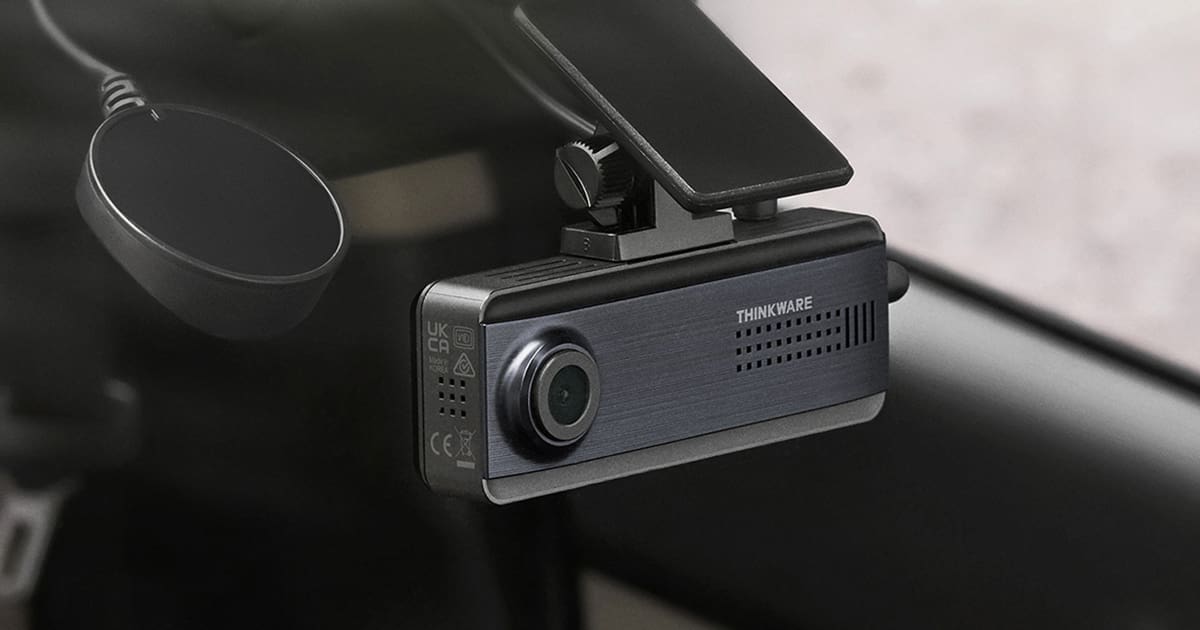
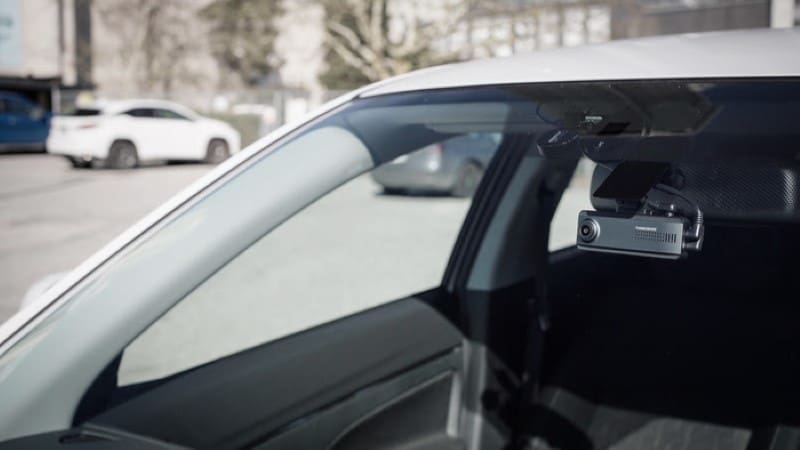
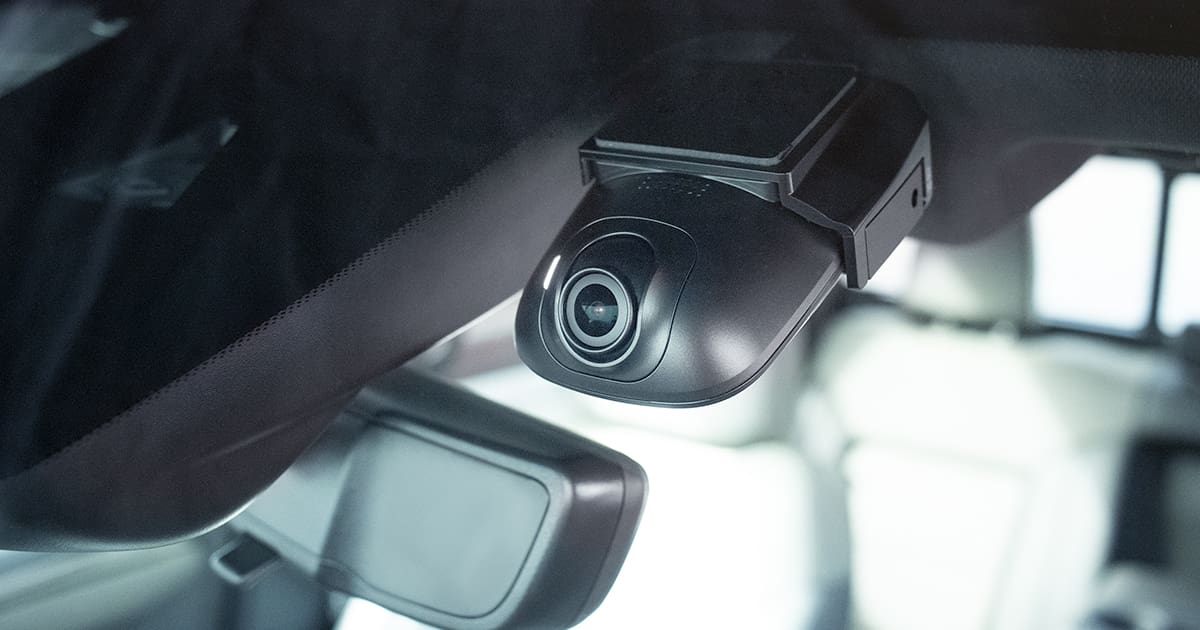
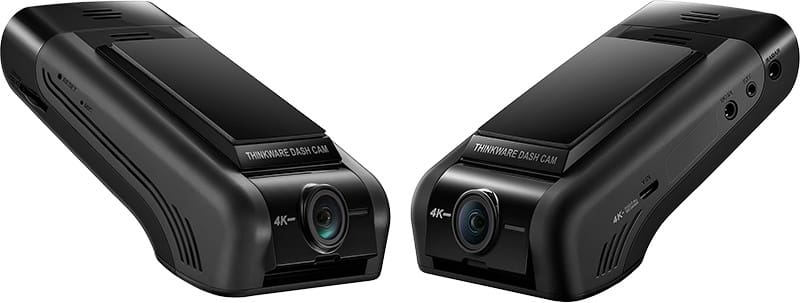
The U1000 Plus is a low-profile camera that mounts at the top of your windshield. Rather than a square or round body, the bulk of the camera sits flat against the glass. This design leaves a lot of clearance for the sun visor and rearview mirror.

The main camera can be tilted up or down to ensure the system works with windshields with varying rakes. The camera body is 4.33 inches tall, 2.55 inches wide and 1.18 inches thick. On the left side of the chassis are power connections, a port for an external radar sensor and the optional rear camera. The rear camera uses a USB connection, so you shouldn’t have issues with RF interference. Thinkware includes a hardwire installation kit with the camera. You can upgrade to the OBD-II power cable if you don’t want any of the wiring in your vehicle modified. This is a wise investment for leased vehicles.

Thinkware U1000 Plus
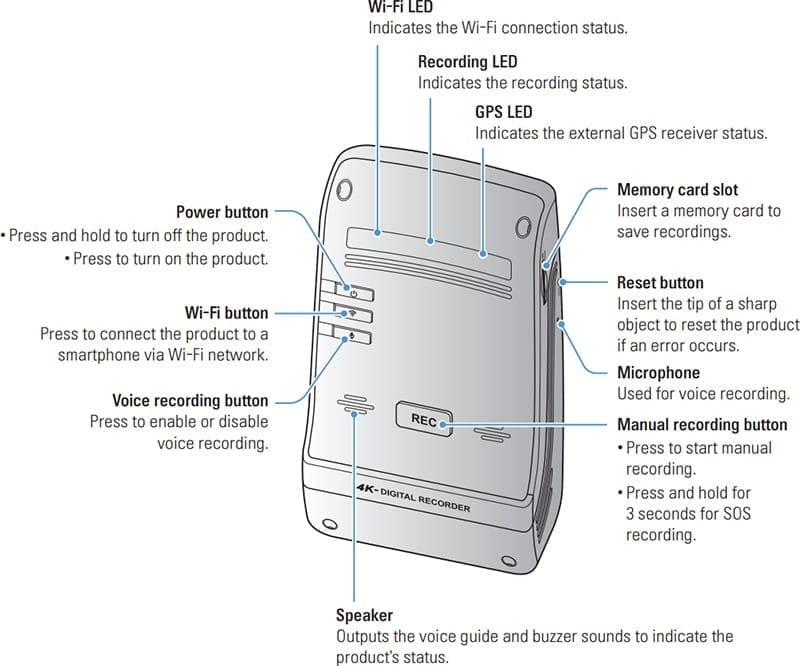
The right side of the chassis has the Micro SD memory card slot, the reset button and the microphone.

Once installed, the camera body has the manual recording button in the center and the Power, Wi-Fi and voice recording buttons in the upper left corner. LEDs across the top indicate when the unit is on, when Wi-Fi is enabled, and when the GPS receiver has locked on enough satellites to pinpoint your location.

Thinkware U1000 Plus

Thinkware Dash Camera Specifications

This camera features a Sony IMX515 STARVIS-Series image sensor that can record at up to 3840 x 2160 pixels at 30 frames per second. It can also be configured to record in 2K mode at 2560 x 1440 pixels at 60 frames per second. The viewing angle is rated at 135.6 degrees, offering a good balance of detail and field of vision.

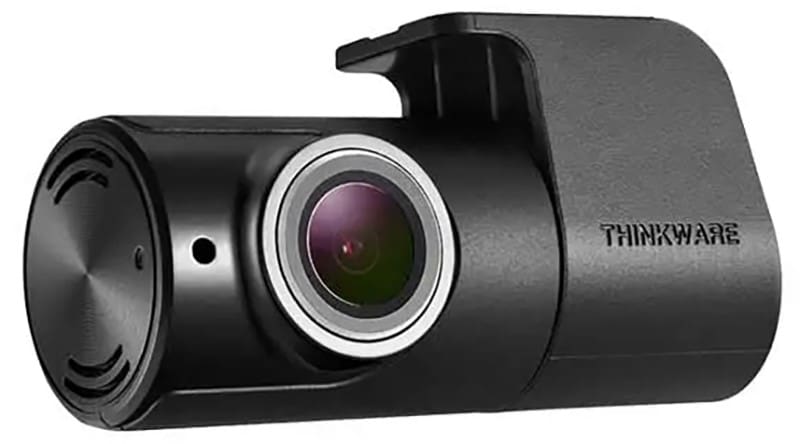
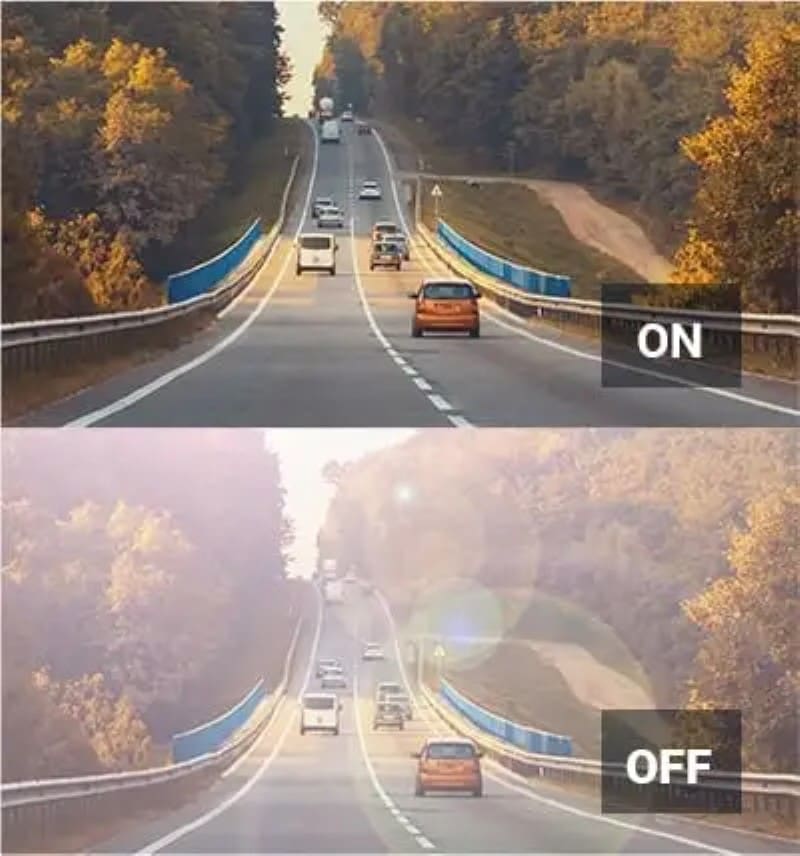
The rear camera features a Full HD-quality image sensor that records 1920×1080 pixels at 30 frames per second. Both the front and rear cameras have a High Dynamic Range (HDR) mode that compresses the light and dark parts of the image to make objects in shadows, or that might be washed out by a bright light source more visible. Low-light performance is further enhanced with Thinkware’s Super Night Vision 3.0. This processing reduces noise when light levels are low to keep videos clear and sharp.

Thinkware U1000 Plus
The Wide Dynamic Range mode compresses bright areas and brightens dark parts of the image to make everything more visible.

Video files are stored using the HEVC format H.265 to maximize file storage. With the 64GB card included, the system can store up to 151 minutes of video in a dual-camera solution. You can increase the size of the memory card to 512 GB for an incredible 1229 minutes of storage.

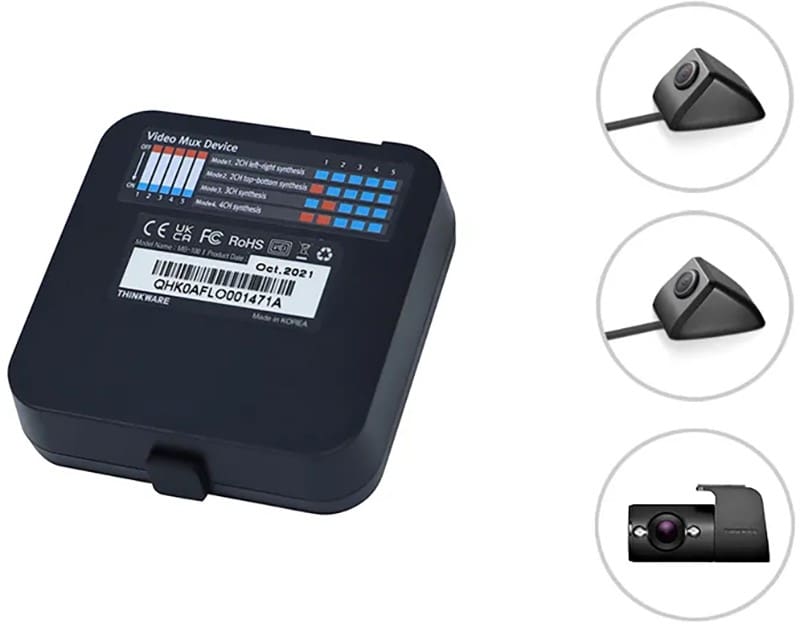
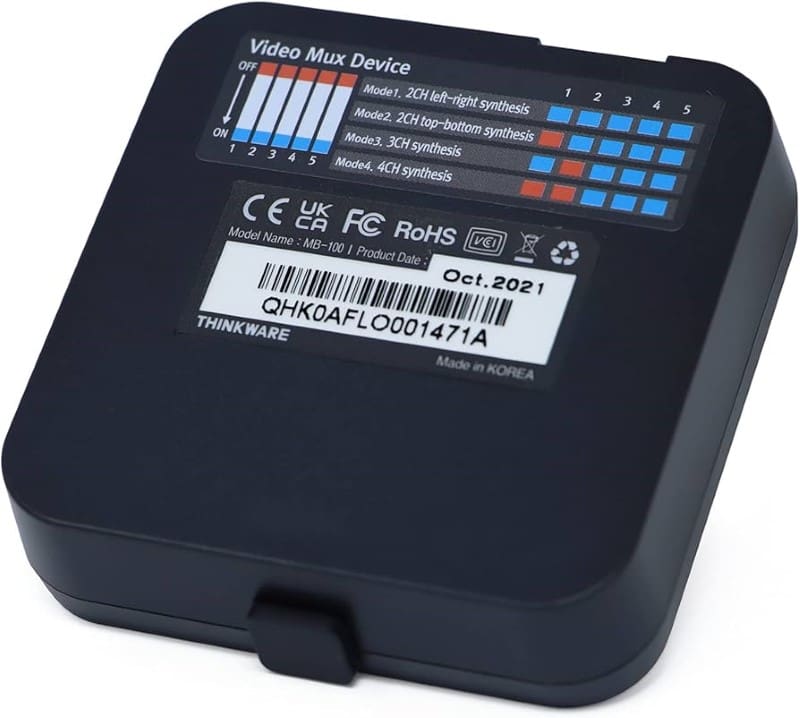
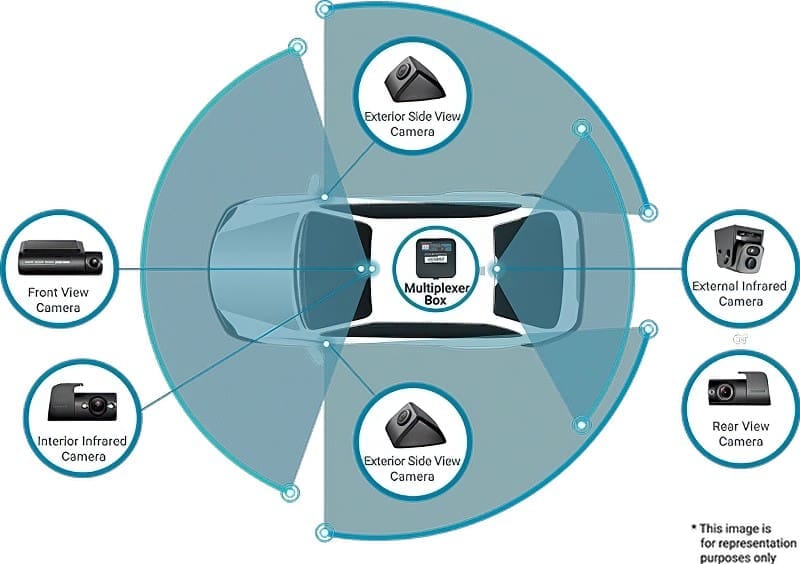
You can upgrade the U1000 Plus to a five-camera system using Thinkware’s optional multiplexer and three additional cameras. This is an ideal solution for taxi, limousine and rideshare applications.

Thinkware U1000 Plus
The U1000 Plus can be upgraded with the optional multiplexer module and additional cameras for better coverage.

Parking Mode Protection

The Thinkware U1000 Plus includes several parking mode options. In energy-saving mode, the camera only stores video when the onboard accelerometer detects impacts. Motion and Impact mode allows the camera to watch for vehicles or people entering the field of vision along with impact sensing. The camera stores a 20-second video that starts 10 seconds before the event trigger. Time Lapse mode records constantly at two frames per second.

The U1000 Plus can be upgraded with Thinkware’s optional radar module. Rather than monitoring the area in front of the vehicle using the image sensor, the radar sensor detects someone or something approaching. This dramatically reduces current consumption, so there is less draw on the vehicle battery.

Thinkware U1000 Plus
The optional radar sensors can dramatically reduce current draw when using parking mode.

Wi-Fi Connectivity

You can use the Thinkware Dashcam Link app on your Android smartphone, iPhone, or tablet to view video files stored on the system. Once connected, your installer can adjust the system settings and fine-tune the viewing angle to ensure maximum coverage.

The Thinkware Connected app gives the U1000 Plus Cloud-based connectivity. If you have a mobile hotspot, or the dashcam can connect to Wi-Fi at your home, you can view what the camera sees on your phone. You’ll also get impact notifications when parked. The vehicle operator can send an emergency message to the registered contact by pressing the REC button on the chassis for three seconds. Parents or business owners can review the vehicle’s operational history to review use and driving behavior.

Advanced Driver Assistance Systems

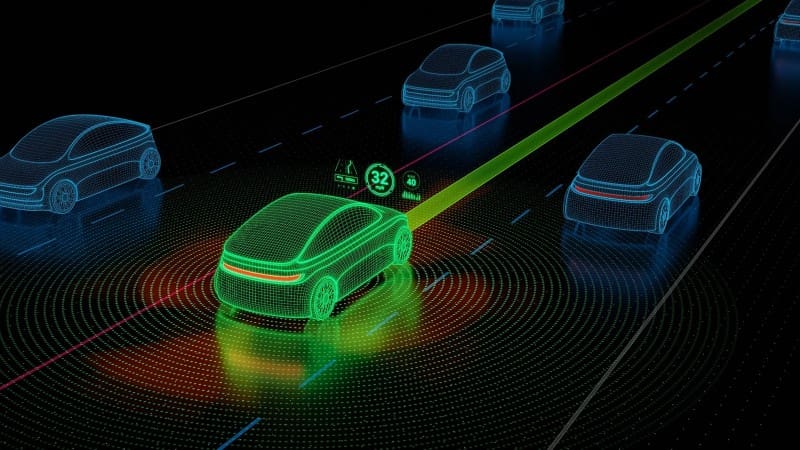
Modern video processing technology allows the U1000 Plus to warn the operating. These Advanced Driver Assistance Systems (ADAS) include Front Vehicle Departure Warnings (FVDW), Forward Collision Warnings (FCWS) and Lane Departure Warnings (LDWS). Notifications about approaching a vehicle too quickly or crossing the lines on the side of the road can help prevent serious accidents.

Thinkware U1000 Plus
ADAS features like Forward Collision Warning integrated with the Thinkware U1000 Plus can help prevent serious accidents.

If you are shopping for a premium dash camera with a high-resolution image sensor, the Thinkware U1000 Plus should be on your shortlist. This solution can record video in 4K resolution and is available with a secondary camera to capture what happens behind your vehicle. Let’s take a close look.

Upgrade Your Vehicle with a Thinkware Dash Camera

We all know that having a dash camera is the best way to protect yourself from fraud and false accusations. It’s also an ideal solution for capturing those “I can’t believe that just happened” moments. When upgrading your vehicle, drop by a local authorized Thinkware retailer and ask about the U1000 Plus system. They can provide you with a quote that includes expert installation.

You can learn more about Thinkware products like the U1000 Plus by visiting their website. Their dealer locator makes it easy to find a retailer near you to help design and install a premium dash camera system.

This article is written and produced by the team at www.BestCarAudio.com. Reproduction or use of any kind is prohibited without the express written permission of 1sixty8 media.
Filed Under: RESOURCE LIBRARY, ARTICLES, Driver Safety, Products Tagged With: Thinkware

Product Spotlight: Thinkware Q200 Dash Camera

Thinkware Q200

Consumers typically have two schools of thought when it comes to dash cameras. Some want the most advanced technology and highest-resolution image sensors available. Others believe that any dash camera system is exponentially better than none. Sadly, the latter concept often leads to people buying low-quality, unreliable solutions. Sitting between these philosophies is the Thinkware Q200 dash camera system. With 2K QHD image quality on the front, 1080P FHD image quality on the rear, intelligent parking modes, and built-in Wi-Fi connectivity, this affordable system is anything but run-of-the-mill. It even includes a 32 GB microSD card! Let’s check it out!

Thinkware Q200 Front and Rear Camera System

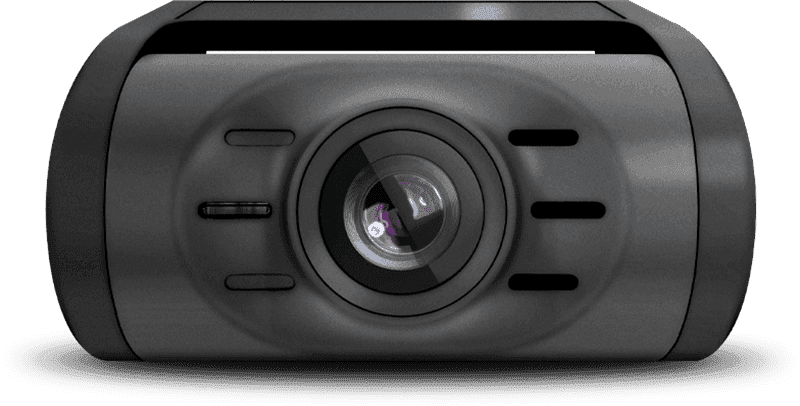
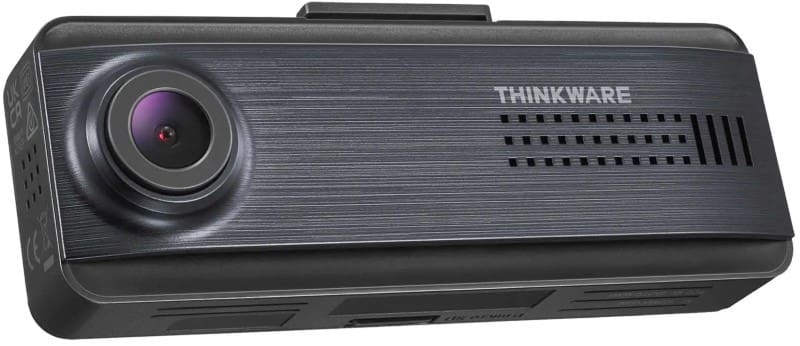
The Thinkware Q200 dash camera system is based around the compact (3.9 x 0.9 x 1.3 inches) forward-facing camera with its Quad-HD (2506 x 1440-pixel) image sensor. The camera has a 125-degree field of view, offering a good balance of forward focus and side-approach monitoring. Videos are recorded in HEVC format using the H.264 codec to keep the file sizes manageable. As mentioned, the system includes a UHS-1 32 GB memory card but can accept cards up to 256 GB in capacity for over 800 minutes of storage.

Thinkware Q200
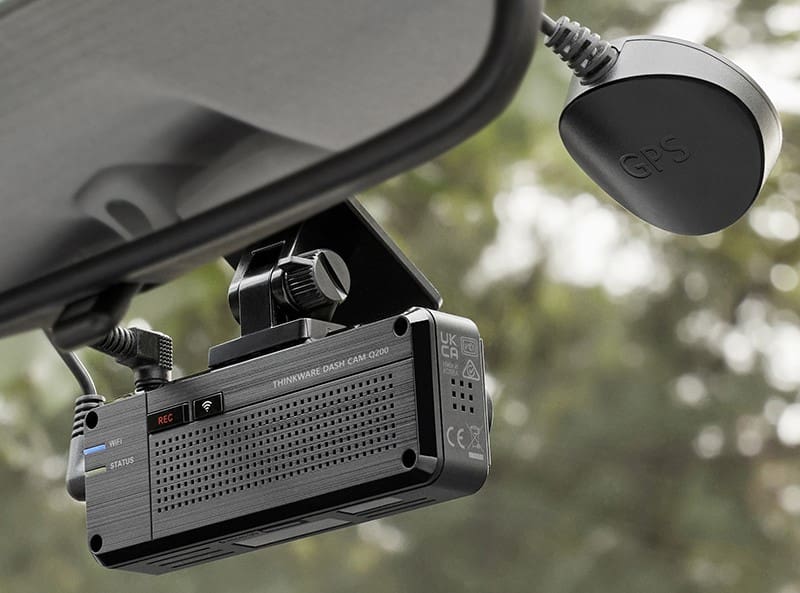
The included GPS receiver captures both location and speed information.

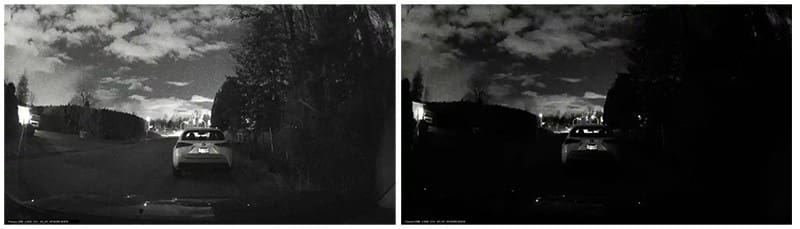
The camera includes several video processing technologies to help improve image quality. First, Super Night Vision 2.0 helps ensure clear, low-noise images in low-light situations, capturing details like license plates or street signs when it’s dark. Advanced Video Clear Technology includes High Dynamic Range (HDR) capture technology that compresses washed-out highlights while boosting information usually lost in the shadows. Smart focusing and intelligent auto exposure enhance the system’s ability to store clear, sharp videos. Finally, de-warping technology reduces barrel distortion so objects at the extreme edges of the video don’t look misshapen.

Thinkware Q200
Features like Super Night Vision 2.0 dramatically improve performance in low light levels.

The camera body has three connection ports: one connection is on top of the chassis for the power source, while one on the side is for the rear camera and one for the GPS receiver. The buttons on the rear panel activate the manual recording mode, and another provides control options for Bluetooth and Wi-Fi connectivity. You can use Wi-Fi with the free Thinkware Dash Cam Link application to download videos directly from the camera. Alternatively, you can remove the microSD card from the bottom of the chassis and use the PC viewer software to view video files.

Thinkware Q200
The compact Q200 dash camera fits neatly beside your rear-view mirror and captures everything that happens in front of the vehicle while you drive.

Rear and Optional Cameras

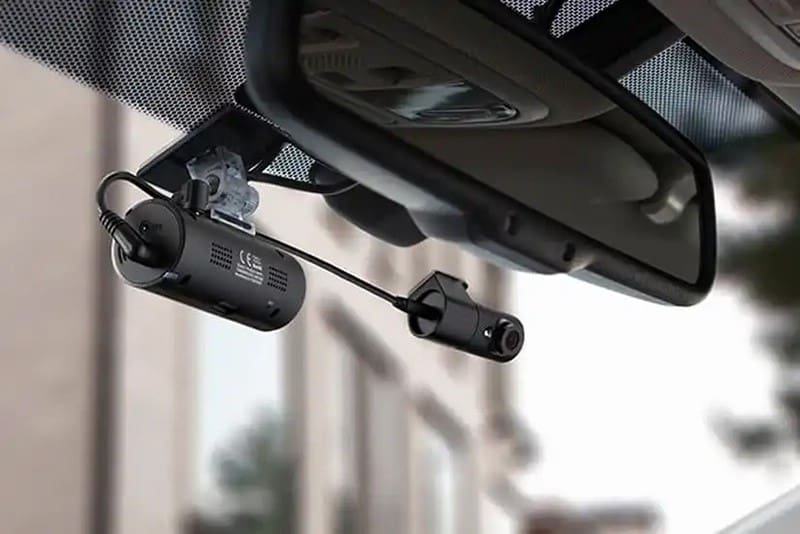
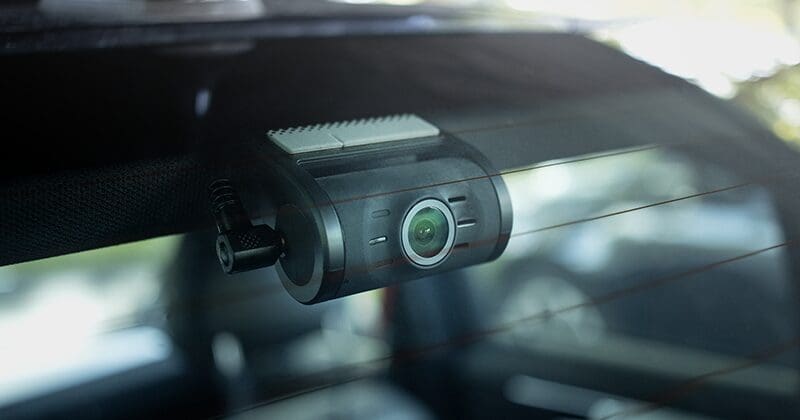
The rear camera included with the Q200 Front and Rear kit is even more compact (2.40 x 1.20 x 0.98 inches) and captures video in full HD (1920 x 1080 pixels). It shares the same 125-degree field of vision as the front camera and records at 30 frames per second. A 19.7-foot cable lets your installer connect the rear camera to the front camera.

Thinkware Q200
Your installer can mount the included rear camera in the back window to monitor drivers approaching from behind.

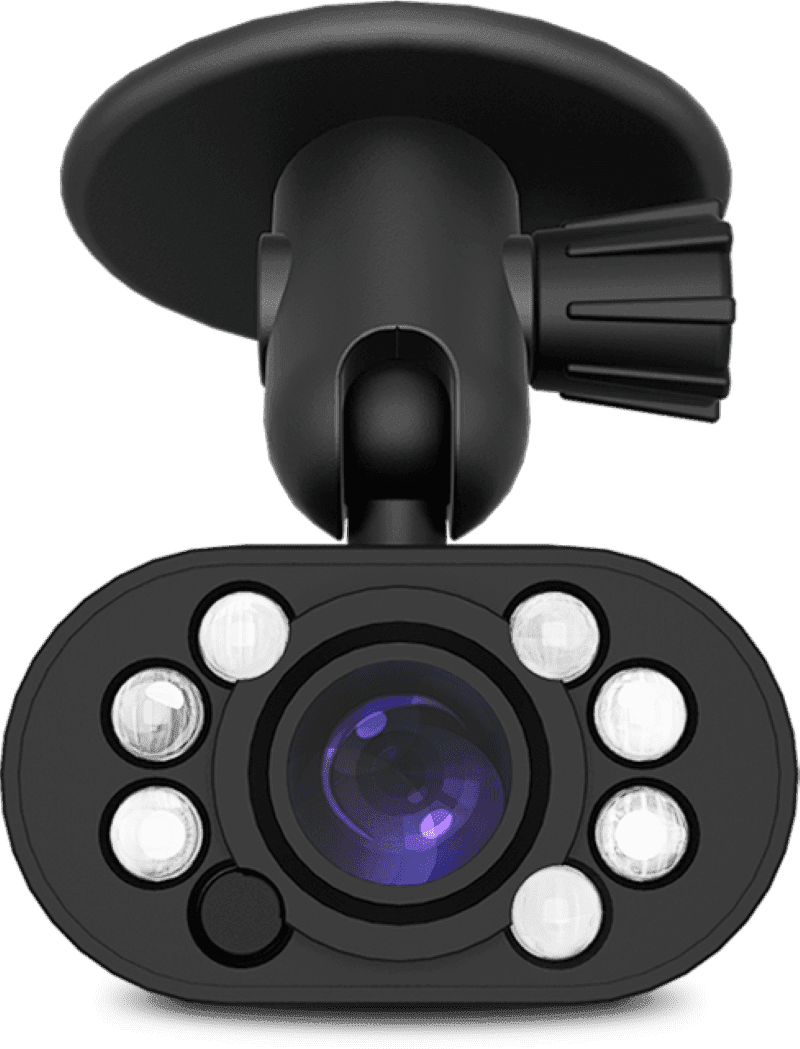
Another option is the infrared interior camera from Thinkware. This compact camera (part number TWA-NIFR) is ideal for taxi, limousine, and rideshare applications where recording what happens and what’s said inside the vehicle is important. The camera includes two compact infrared transmitters so it can effectively see in the dark.

Thinkware Q200
The optional infrared interior camera is ideal for taxis, limousines, Uber and Lyft drivers.

The Q200 is compatible with the optional multiplexer box. With this option, your installer can add three additional cameras to the system, bringing the total to five. The four cameras connected to the multiplexer combine their images into a single video feed that records on the rear channel of the Q200. Side-view and infrared interior cameras are just some options available for additional cameras.

Thinkware Q200
Thinkware offers several multiplexer bundles to add three cameras to the Q200.

Parking Mode

For those not up-to-date with dash camera lingo, the parking mode feature allows the camera to continue capturing what’s happening around your car when it’s parked. Depending on where you park, you can work with your installer to choose between two frame-per-second Time Lapse, Energy Saving, and Motion/Impact Detection options. In Motion and Impact mode, the camera monitors the image sensor for changes that indicate something or someone has entered the field of vision. When this happens, it stores a video file with 10 seconds of footage before and after the trigger. The built-in three-axis accelerometer also monitors the vehicle for motion from an impact, which triggers a similar recording.

Energy-saving mode foregoes image sensing, dramatically reducing the electrical energy required to maintain camera operation. This mode is ideal for longer-term parking recording.

Thinkware Q200
Parking mode will monitor what happens around your vehicle in the driveway or a garage.

Built-In ADAS Features

The Q200 is no slouch when it comes to bonus features. The camera includes Advanced Driver Assistance Systems (ADAS) in the form of Lane Departure Warning (LDWS), Forward Collision Warning (FCWS), and Front Vehicle Departure Warning (FVDW). These systems use artificial intelligence and advanced image processing to detect potential hazards and provide a warning to the driver. The GPS antenna must be installed for these features to function.

Protect Yourself with the Thinkware Q200

As is evident, the Thinkware Q200 dash camera system is exponentially more capable than most solutions you’ll find outside a professional mobile enhancement retailer. If you want premium image quality in the videos, advanced ADAS warnings, and easy Wi-Fi downloading, drop by your local Thinkware retailer and ask about the Q200 system. They can provide a package price for the dual camera system with expert installation to ensure reliable operation.

This article is written and produced by the team at www.BestCarAudio.com. Reproduction or use of any kind is prohibited without the express written permission of 1sixty8 media.
Filed Under: RESOURCE LIBRARY, ARTICLES, Backup Safety, Driver Safety, Products Tagged With: Thinkware

Product Spotlight: Thinkware Q850 Dash Cam

Thinkware Q850

By now, you know that Thinkware is effectively a household name in North America when it comes to high-quality dash cam solutions. A while back, we took a look at their flagship U3000 model. In this spotlight, we are going to examine the two-channel 2K and Full HD Q850 model. Let’s check it out!

Thinkware Q850 Features

The Q850 2CH is a dash cam system with a 2K resolution (2560 by 1440 pixels) forward-facing camera and a Full HD (1920 by 1080 pixels) secondary camera. The front camera features a Sony Starvis image sensor that includes Wide Dynamic Range (WDR) contrast compression. This feature not only boosts objects in shadows when light levels are low but also prevents image blowouts when the sun faces the camera. The result is a clearer video with more detail.

Additionally, the Q850 offers Thinkware’s Super Night Vision 2.0 image processing. Just as with high-sensitivity film, image sensors are prone to adding noise in low-light levels. The Q850’s advanced image processing boosts overall brightness with minimal quality loss.

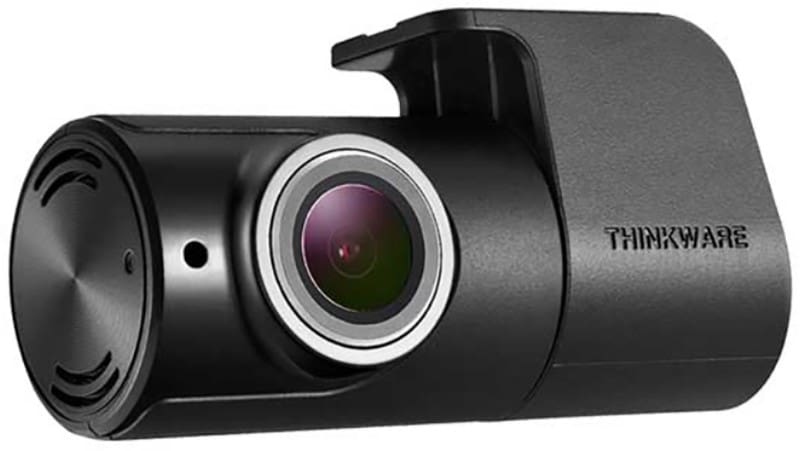
The front camera features a viewing angle of 125 degrees to help capture everything that happens in front of the vehicle. The secondary CMOS camera has a vast 160-degree viewing angle. It can be installed on the rear window or mounted to record activity inside the car, truck, or SUV. Interior monitoring is ideal for rideshare operators and taxi and limousine companies.

Thinkware Q850
The compact rear camera in the Q850 set records at Full HD resolution.

Dash Cam Physical Design and Features

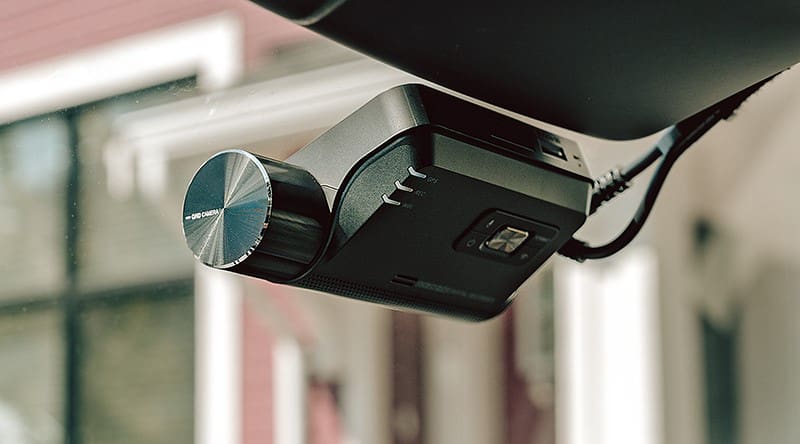
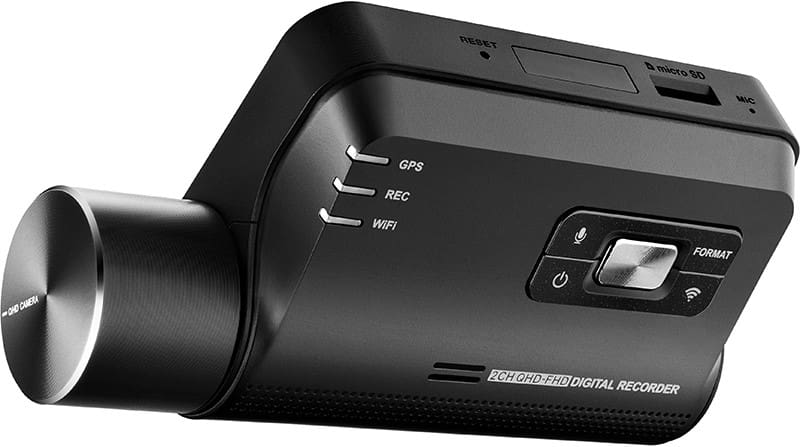
The Q850’s chassis is designed to install flat against your windshield. The camera sticks out the side and can be rotated to fine-tune the viewing angle. An array of four buttons enables voice recording, turns on the Wi-Fi feature, formats the memory card, and turns the camera off. The camera wakes up by default and starts recording when the ignition turns on.

Thinkware Q850
All the controls on the Q850 are easily accessible on the back panel.

A slot on top of the body accepts a UHS-1 micro-SD card. The system supports up to 256 GB capacities, allowing 1,272 minutes of storage for the primary camera alone, or 808 minutes with both the front and rear cameras. The system includes a 64 GB card, offering 318 or 202 minutes of recording.

Dimensions are 107 x 30 x 61 mm or 4.2 x 1.18 x 2.4 inches.

A built-in GPS receiver stores vehicle velocity and location information along with the video feeds. An accelerometer can also be configured to store event videos if there’s a sudden jolt or impact. The parking mode feature can also use the accelerometer to monitor your vehicle in the driveway at home or the parking lot at work.

Parking Modes

You have several options when it comes to dash cam parking mode operation. First, let’s explain how parking modes work. When you turn off the ignition, the camera can be programmed to continue monitoring your vehicle. Parking Surveillance Mode offers time-lapse, motion detection, or impact triggering. The Smart Parking Mode feature monitors the temperature inside the car. If it gets too hot, the camera will default to impact mode. Once cooled down, it can go back to motion or time-lapse recording.Your installation will require Thinkware’s OBD-II Cable to enable parking mode. The retailer you are working with can provide this.

Thinkware Q850
Thinkware’s Q850 dashcam records automatically as soon as you start your vehicle, so nothing is ever missed.

Artificial Intelligence ADAS Features

The Q850 offers several integrated ADAS features to help make your commute or trip safer. Front Vehicle Departure Warning (FVDW) lets you know when a car or truck in front of you has driven away. The Forward Collision Warning System (FCWS) alerts you when your vehicle is approaching another too quickly or you are following too closely. This feature disables itself automatically below 40 km/h (25 mph), so it’s not a nuisance.

The integrated Lane Departure Warning System will sound an alert if you appear to be crossing a white or yellow line on the side of the road. This function operates above 50 km/h.

Safety camera alerts are provided for speed and red-light cameras in many areas to help ensure you arrive at your destination safely and efficiently.

Smartphone Wi-Fi Connectivity

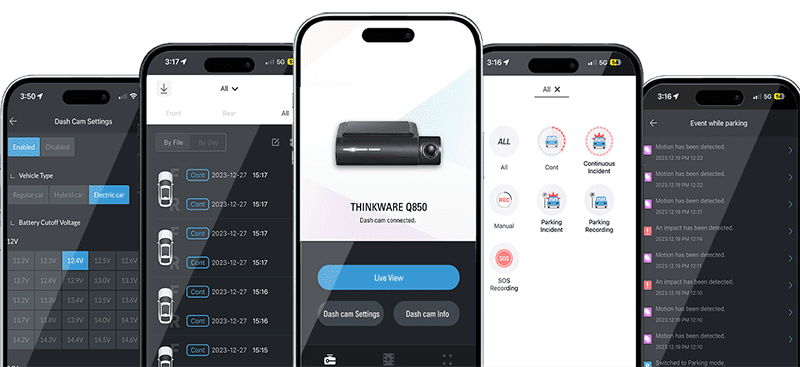
Once the Q850 has recorded a video, the built-in Wi-Fi hotspot makes it easy to download that video to your smartphone. Simply connect your phone wirelessly to the Q850 and launch the Thinkware Dash Cam Link app. You can even fine-tune the camera settings to suit how and where you use your vehicle.

The Thinkware Connected app takes communication a step further. If your camera is connected to a mobile hotspot, you can access it and the stored videos online. The live view mode lets you see what the camera sees. You can view stored videos on your smartphone from driving or parking events. Better yet, you can configure impact notifications while driving or when parked, so you’ll always know if something is wrong.

Thinkware Q850
The Thinkware Connected app makes it easy to download video files for sharing.

Camera Multiplexer Compatible

The Q850, along with the Q200, F200 Pro, F790, X700, X800, XD250, and XD100, is compatible with Thinkware’s four-camera multiplexer accessory. Imagine having four additional cameras connected to the Q850, all of them recording to the secondary camera input channel. You can monitor the area behind the vehicle, in the interior, and on either side of the car or truck all at once. Multiple cameras are a great way to ensure the driver is safe if you have a limousine.

Thinkware Q850
The optional multiplexer allows your install to add three additional cameras to the Q850’s rear signal input.

Premium Protection from Fraud and False Accusations

If you are concerned about a staged accident, fraud, or being found at fault for an accident, investing in a dashcam like the Thinkware Q850 2CH is wise. Visit Thinkware’s website for more information about its products or to find a retailer near you. You can learn more about the U3000 and other impressive products they offer by following them on Facebook, Instagram, TikTok, and YouTube.

This article is written and produced by the team at www.BestCarAudio.com. Reproduction or use of any kind is prohibited without the express written permission of 1sixty8 media.
Filed Under: RESOURCE LIBRARY, ARTICLES, Driver Safety, Products Tagged With: Thinkware

Product Spotlight: Drone XC-LTE Dash Cam

Drone XC-LTE

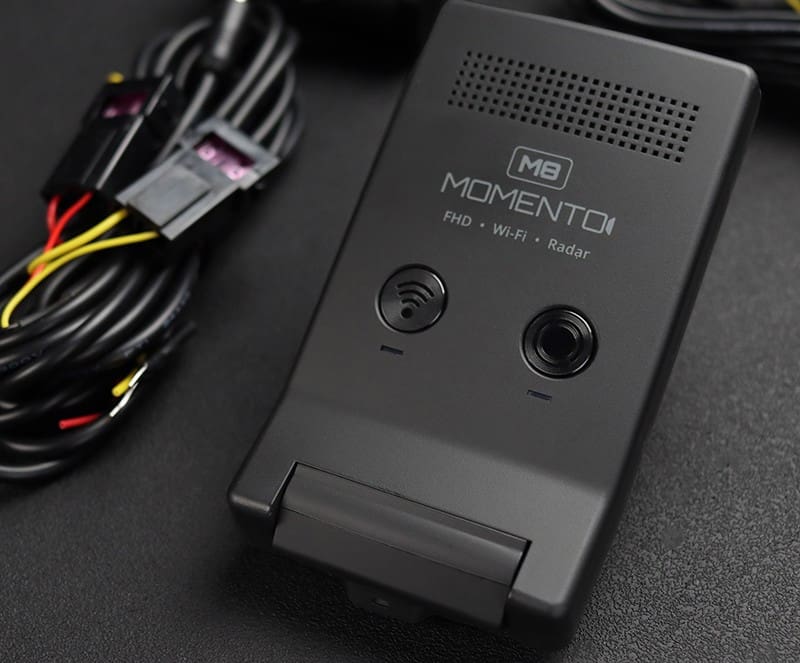
If you’re a regular visitor to BestCarAudio.com, you should be familiar with dash cams and smartphone-based remote vehicle control solutions like Drone. Imagine combining the features of both units into one product and then adding live video streaming capabilities! The new Drone XC-LTE 2K QHD dash cam with LTE, GPS and Wi-Fi does precisely that. Let’s check it out!

What Is the Drone XC-LTE Dash Cam?

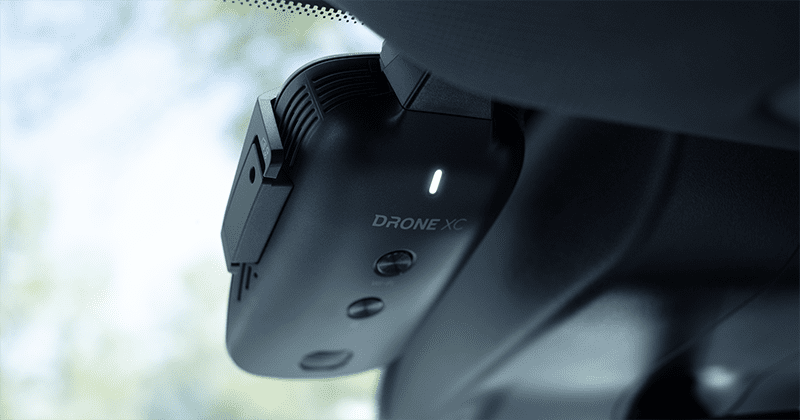
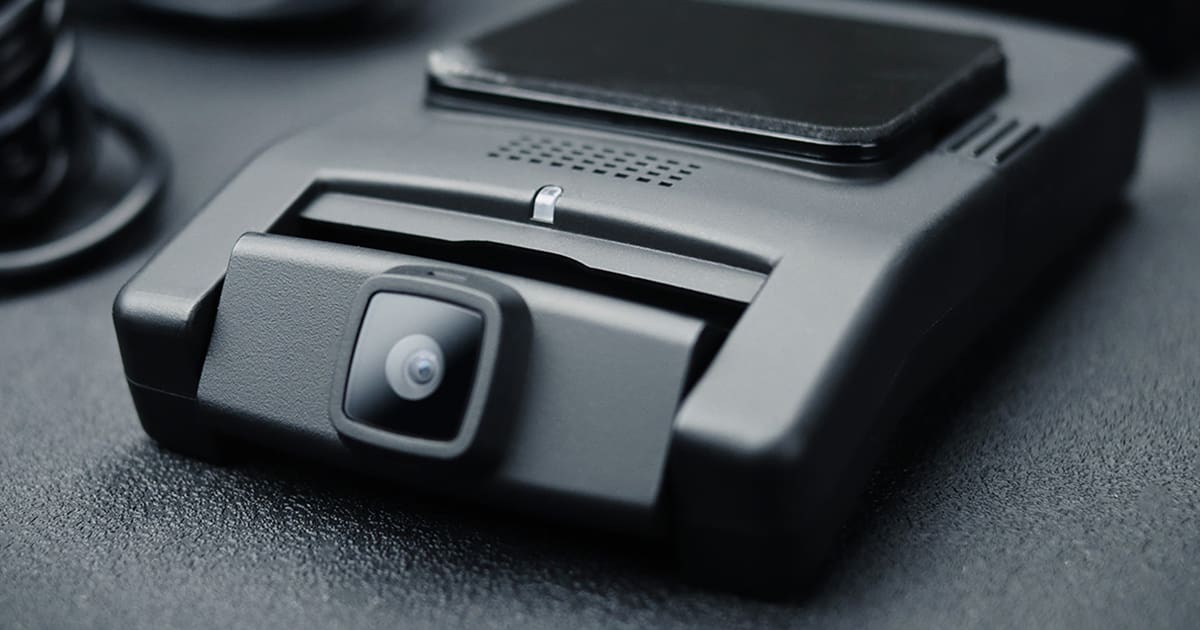
There are a lot of features and design elements to unpack with the Drone XC-LTE. The unit has a footprint of 4.2 by 2.8 inches with a thickness of 1.5 inches. A vertical mounting orientation on the windshield minimizes obstruction.

Drone XC-LTE
The XC-LTE mounts vertically on the windshield to stay out of your line of sight.

The XC-LTE uses a Sony STARVIS image sensor for excellent contrast and low-light performance. The sensor is mated to a wide 154-degree lens to allow recording well off to the sides of the vehicle. The camera records at a 2K Quad HD resolution of 2560 by 1440 pixels at 30 frames per second. A built-in Wi-Fi transceiver lets you download stored videos to your smartphone.

Firstech includes a high-quality 64 GB microSD memory card to ensure reliable recording. Upgrading to a 128 or 256 GB memory card allows the system to store more data. The system also accepts a secondary camera input signal. Your installer can add the XC-RC100 rear-facing or the XC-IR100 infrared interior cameras. The interior camera is very popular with taxi, Uber and Lyft operators. The parking mode feature allows it to monitor the visible area continuously and then record when something or someone enters its field of vision.

Drone XC-LTE
The optional XC-RC100 rear-facing camera allows the Drone XC-LTE to capture video of what happens behind your vehicle.

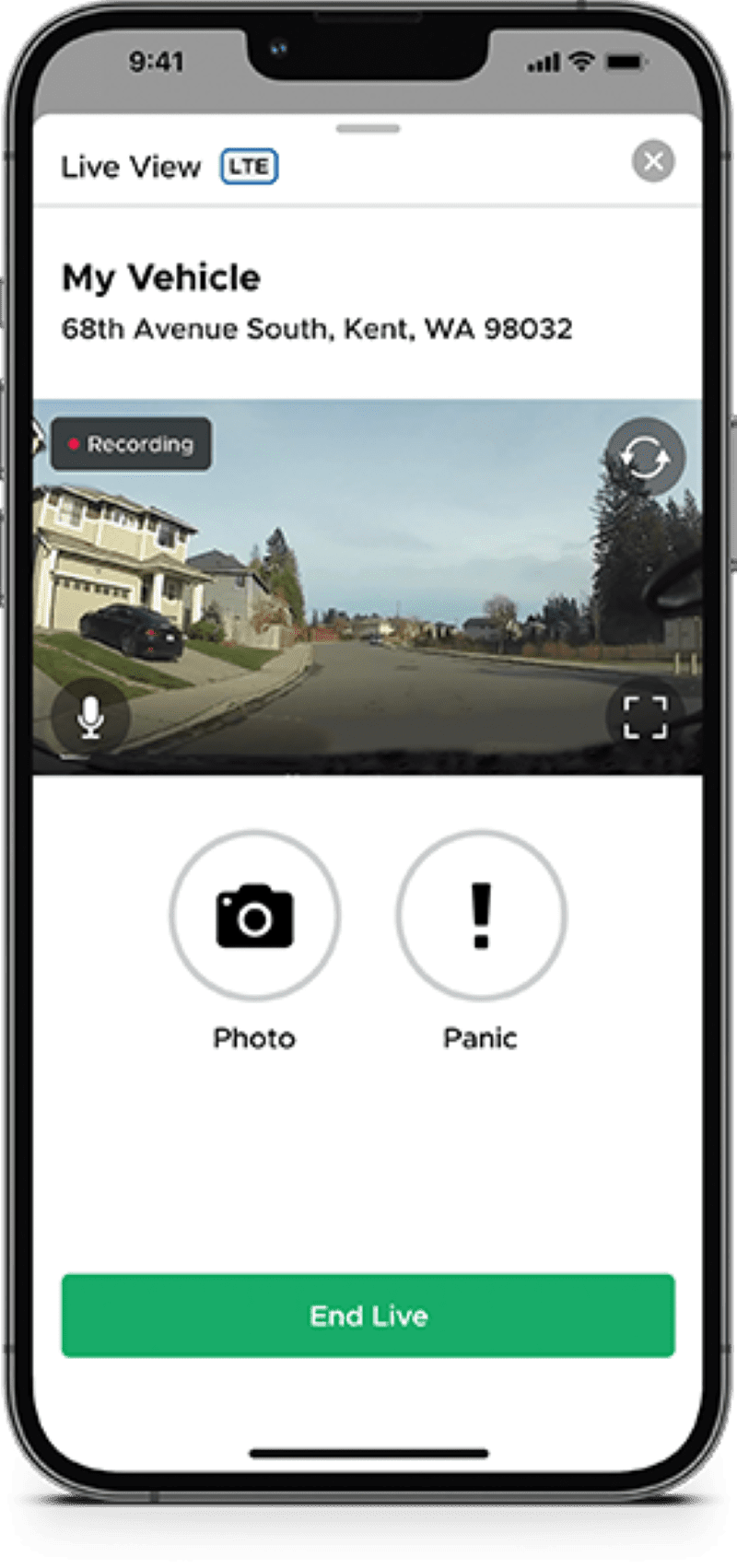
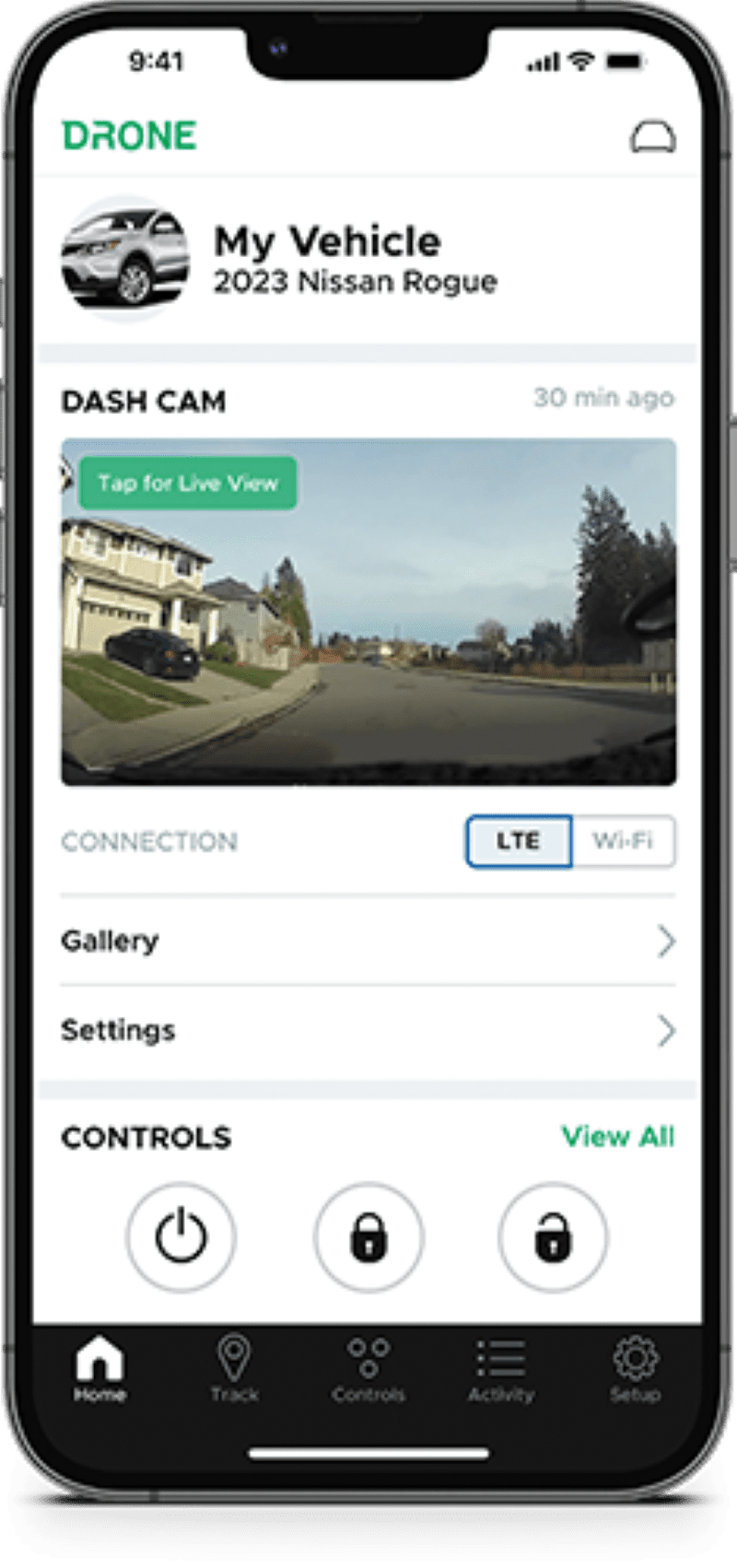
What makes this dash cam unique is the ability to view live video on the DroneMobile app on your smartphone using an LTE cellular data connection. You can see exactly what the camera sees on your phone. The system uses an LTE data connection to transmit video. As long as your phone can access the cellular data network, it doesn’t matter where it’s parked or driving. Remote live-viewing capability is a feature people have been requesting for years.

Drone XC-LTE
The DroneMobile app provides access to a live video feed from your Drone XC-LTE dash cam.

Regarding live-feed details, the video stream has a resolution of 960 by 540 pixels. Depending on your chosen service package, you get 1 or 2 GB of cloud storage for important videos you tag via the DroneMobile app.

Drone Vehicle Control

While the excitement of the remote video viewing is the highlight of the Drone XC-LTE, it’s crucial to remember that this is still a Drone vehicle control interface. When paired with a compatible control module from Compustar, Arctic Start, FTX or NuStart, you can use the DroneMobile app on your phone to lock and unlock your vehicle or start the engine. You can even pop the trunk or open a sliding door or motorized hatch in many applications.

Drone XC-LTE
The updated DroneMobile app retains lock, unlock, remote start and auxiliary control features.

The Drone XC-LTE acts like the DAS-II sensor to detect impact, tilt, motion and glass breakage. Any of these triggers will instantly send a notification to your smartphone. You can use the LTE streaming feature of the dash cam to look around your vehicle to find out what’s going on. The DroneMobile app also allows you to trigger the Panic feature to scare away would-be thieves or the neighbor’s cat.

Drone XC-LTE
The Drone system pushes security alerts to your smartphone so you’ll know immediately when someone is tampering with your vehicle.

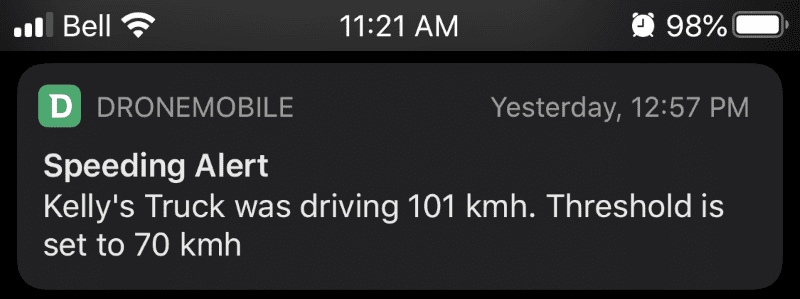
The system also functions as a vehicle-locating or -tracking solution with one of the GPS-enabled Drone service plans. You can configure speed-based warnings to monitor vehicle operation. Location-based notifications, often called geofencing, are also available. These warnings tell you when the vehicle enters or exits a specific area or location.

Drone XC-LTE
The Drone’s GPS receiver provides location and speed-based warnings on your smartphone.

See Why Your Car Alarm Triggered

Most of us are familiar with hearing car alarm sirens, getting a security alert from a two-way remote key fob or perhaps seeing an alarm notification on our smartphones. We all want to know what is happening in and around the vehicle. With the new XC-LTE, you can open the DroneMobile app and see what the cameras see in real time. There’s no need to leave the house or your office. You could be on vacation in the Caribbean and check on your car or truck from the pool while sipping a mojito or enjoying a beer.

The XC-LTE is ideal for commercial equipment left on a job site or in a company-owned service or delivery vehicle. The XC-LTE is a perfect solution if you rent your car or truck on Turo or Getaround and want to see where and how the renter uses your vehicle.

The Best Vehicle Monitoring and Control Solution

The Drone XC-LTE is the first aftermarket dash cam solution with live view capabilities that can integrate with a car alarm or remote start system to provide vehicle control and monitoring. You can also use the system as a stand-alone dash cam with remote live viewing. Your local Compustar retailer can explain the remote control and live-view service plans and the features they offer. To find an authorized Drone retailer near you, use the locator tool on their website. For more information about Drone solutions, visit their YouTube channel, Facebook page or Instagram. Check back frequently, as a full Test Drive Review of the Drone XC-LTE is coming soon.

This article is written and produced by the team at www.BestCarAudio.com. Reproduction or use of any kind is prohibited without the express written permission of 1sixty8 media.
Filed Under: ARTICLES, Driver Safety, Products, RESOURCE LIBRARY, Vehicle Security Tagged With: Arctic Start, Compustar, DAS-II Sensor, Dash Cameras, DroneMobile, Firstech LLC, FTX, Getaround, LTE, Lyft, NuStart, Sony, Turo, Uber

  • « Go to Previous Page
  • Page 1
  • Page 2

Primary Sidebar

About Us

About-us

If you live in Berks Country, Pennsylvania, you have dozens of options in terms of where to go for audio system, collision avoidance, remote starter and window tint upgrades for … [Read More...]

Car Audio

V2-Sliders-Car-Audio-A1b

Whether you want the precision of a recording studio, the impact of a concert or both, car audio upgrades from Elite Car … [Read More...]

Window Tinting

Window Tint

Tinting the windows of your car or truck is a great way to add comfort and style to the vehicle. The automotive window … [Read More...]

Remote Car Starters

Remote Starter

Remote Car Starters One of the most popular product categories at Elite Car Customs is remote car starters. Imagine being able to start your vehicle with the push of a button so … [Read More...]

Footer

Location


Get Directions to Elite Car Customs

Connect with Us

  • Facebook
  • Instagram

Services

  • Car Audio
  • Remote Starters
  • Driver Safety
  • Window Tint

Hours

Monday, Tuesday, Wednesday, Thursday, Friday9:00 am – 5:00 pm

Copyright © 2026 Elite Car Customs · Privacy Policy · Website by 1sixty8 media · Log in